[Case study]2026

A video editor where the video is code

Role
Product, design & engineering
Year
2026
Type
Open source · Local app + MCP server
Status
Local only, not published yet
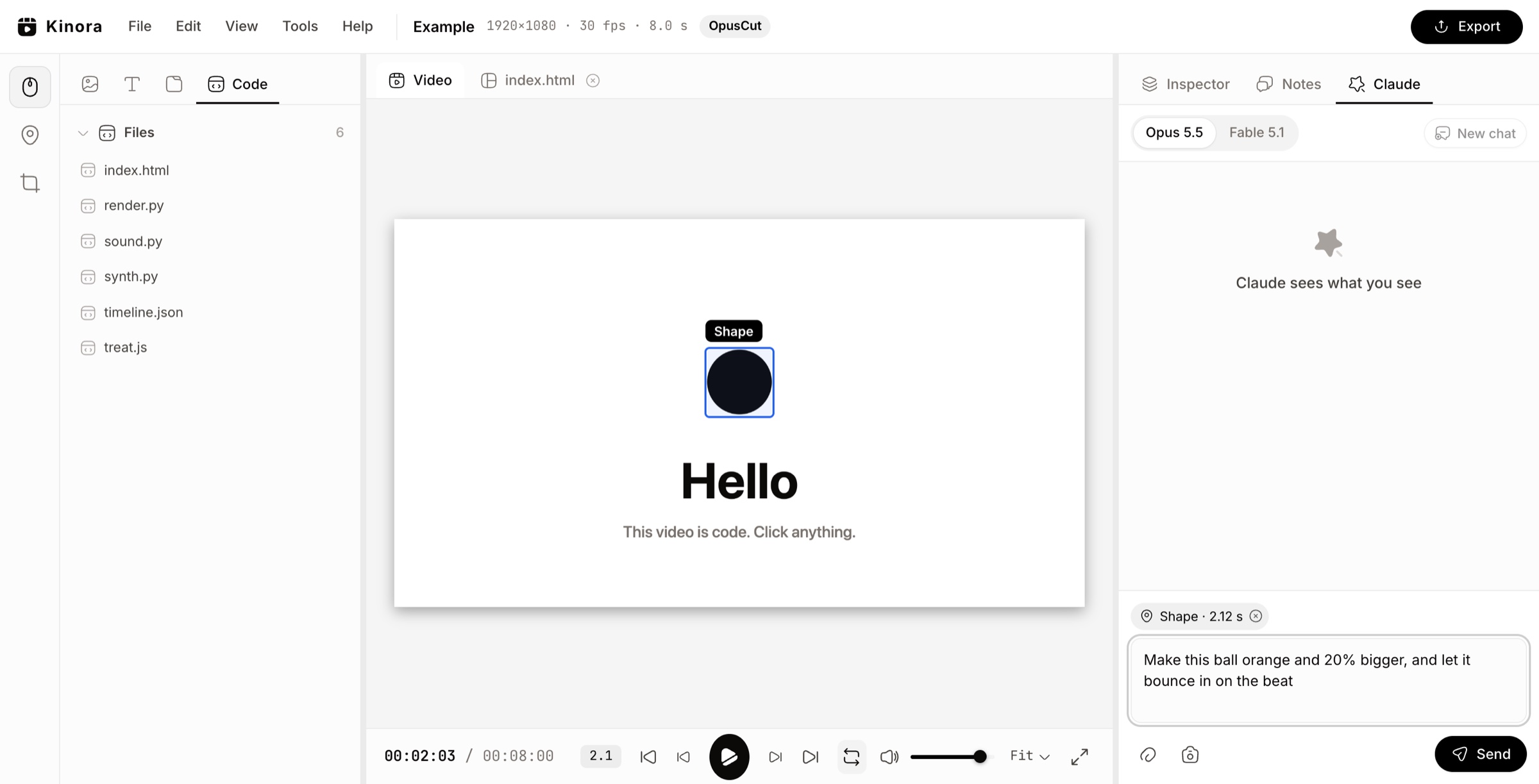
Kinora editor with a selected circle on the video and the Claude panel ready for a request

( Overview )

Motion videos written as code are great until you need to change one detail: which function drew that circle, on which line, at which second? Kinora is a local editor that answers that with a click, and lets Claude or any agent do everything a person can do, seeing exactly the same frame.

[01]/ The problem

Writing videos as code (canvas, three.js, any animated page) gives you precision and versioning, but editing them is blind: you change a number, re-render and scrub to find out if it worked.

AI agents have it worse. They can write the code but can't see the result, so every request turns into guessing. Kinora puts the picture and the code in the same place, for people and for agents.

[02]/ How it works
  1. 1

    Open

    Point Kinora at a folder with a video written as code. It runs locally at 127.0.0.1, nothing is hosted.

  2. 2

    Click

    Click any pixel of any frame and get the function, file and line that drew it, with live knobs for its numbers, colors and texts.

  3. 3

    Ask

    Leave notes on frames or zones, or ask Claude for a change. The agent sees the same frame and selection you do.

  4. 4

    Export

    Render to MP4, WebM, GIF, PNG sequence or a single frame, with platform presets and up to 60 real fps.

[03]/ Inside the product
[01] / Inspector

From pixel to line of code

Every draw call is instrumented. Clicking the video shows what's under the cursor, top to bottom, with the full call chain and the code lines behind it. Literals are highlighted and editable in place.

  • Call chain with file and line
  • Live knobs for numbers, colors and texts
  • Everything under the cursor, by z order
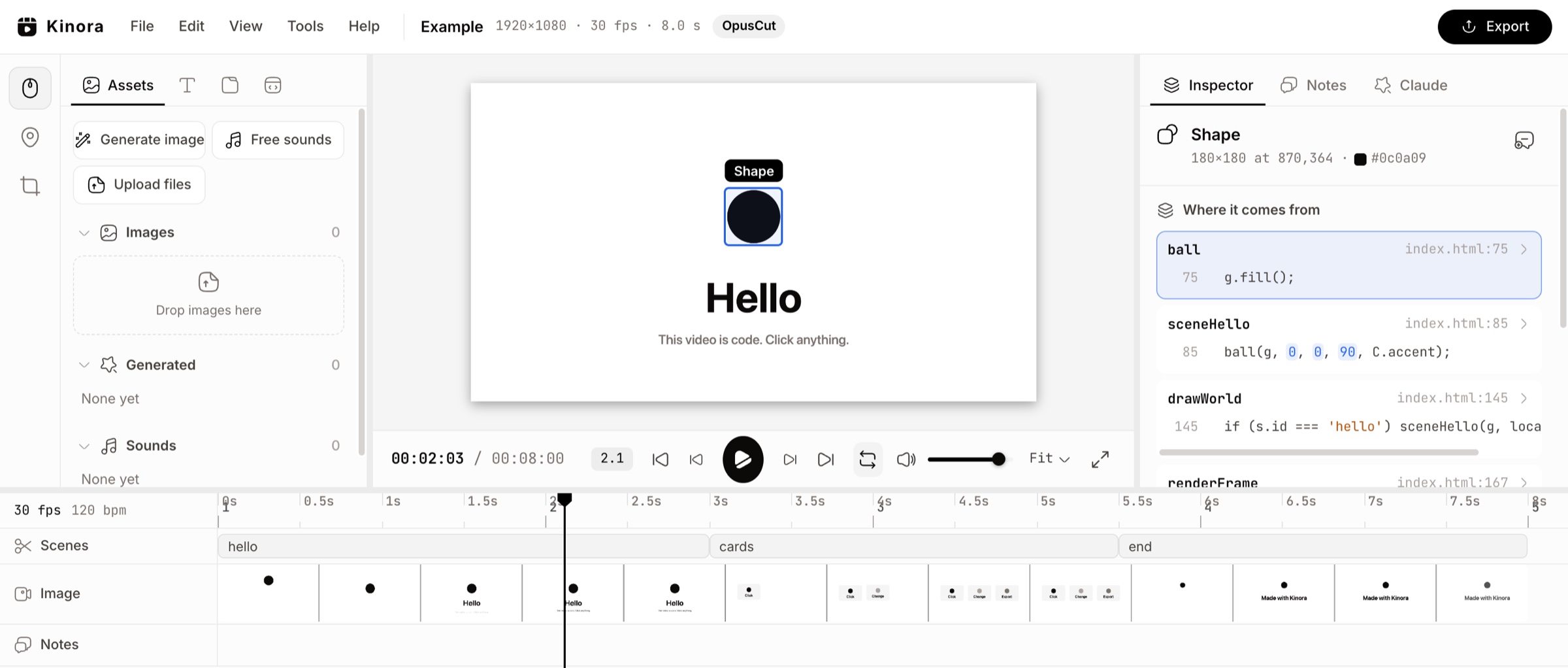
Inspector panel listing ball, sceneHello, drawWorld and renderFrame with their code lines
[02] / Visual code

Code you can see

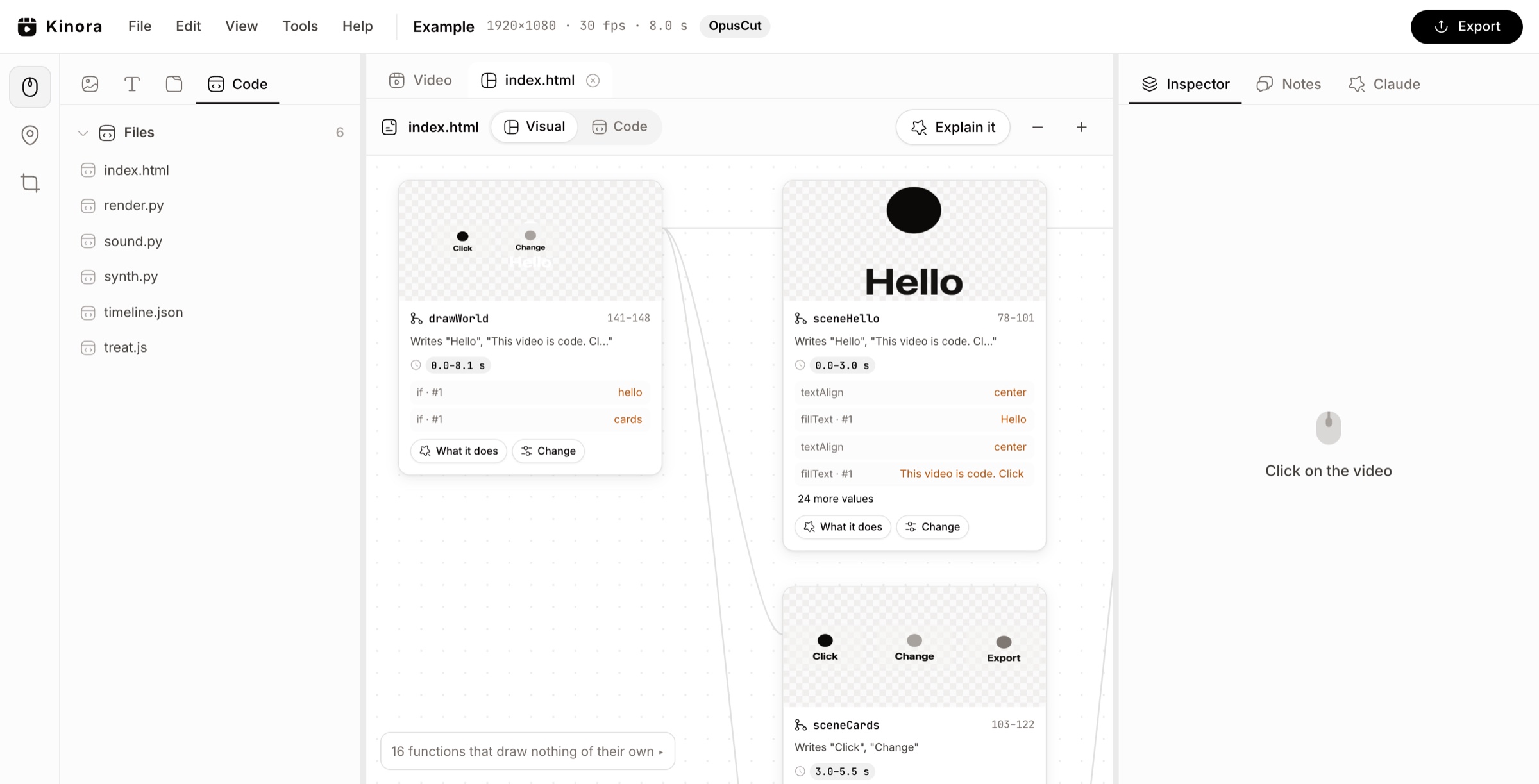
Each file can be read as a map of the functions that draw something, with a thumbnail of what they paint, when they're on screen and the values that matter. 'What it does' and 'Change' are one click away.

Visual view of index.html with cards for drawWorld, sceneHello, ball and sceneCards, each with a preview
[03] / Claude inside

Claude sees what you see

The chat agent gets the selected element and the playhead as context, so 'make this ball bigger' is enough. One agent request is one undo step.

  • Selection and time attached to each request
  • Undo and redo per agent request
  • Model picker inside the editor
Claude panel with the selected shape at 2.21 s attached and a request typed in the input
[04] / Text

Edit texts on the video

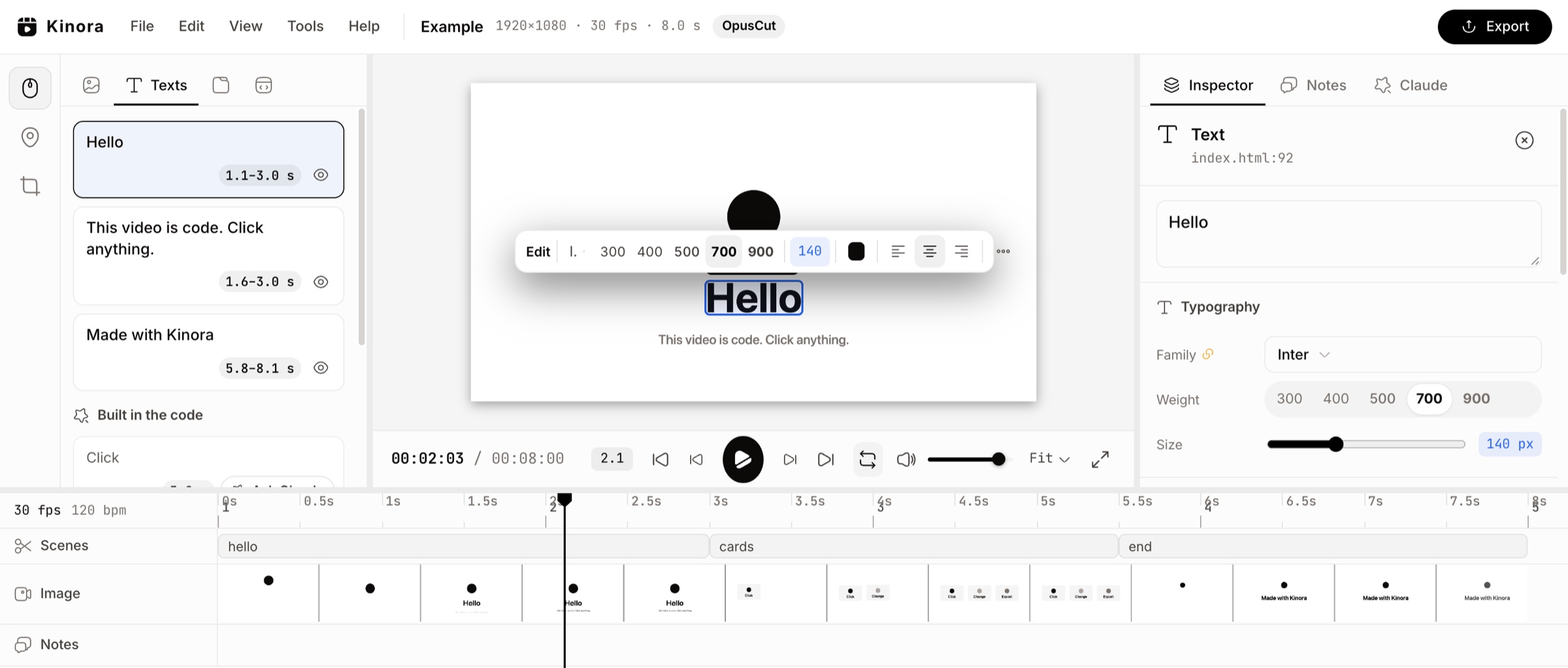
Content, font, weight, size, color and alignment are edited right on the frame and written back to the exact place in the code where they are decided.

Text editing on the Kinora canvas
[05] / Sound

Sound per track

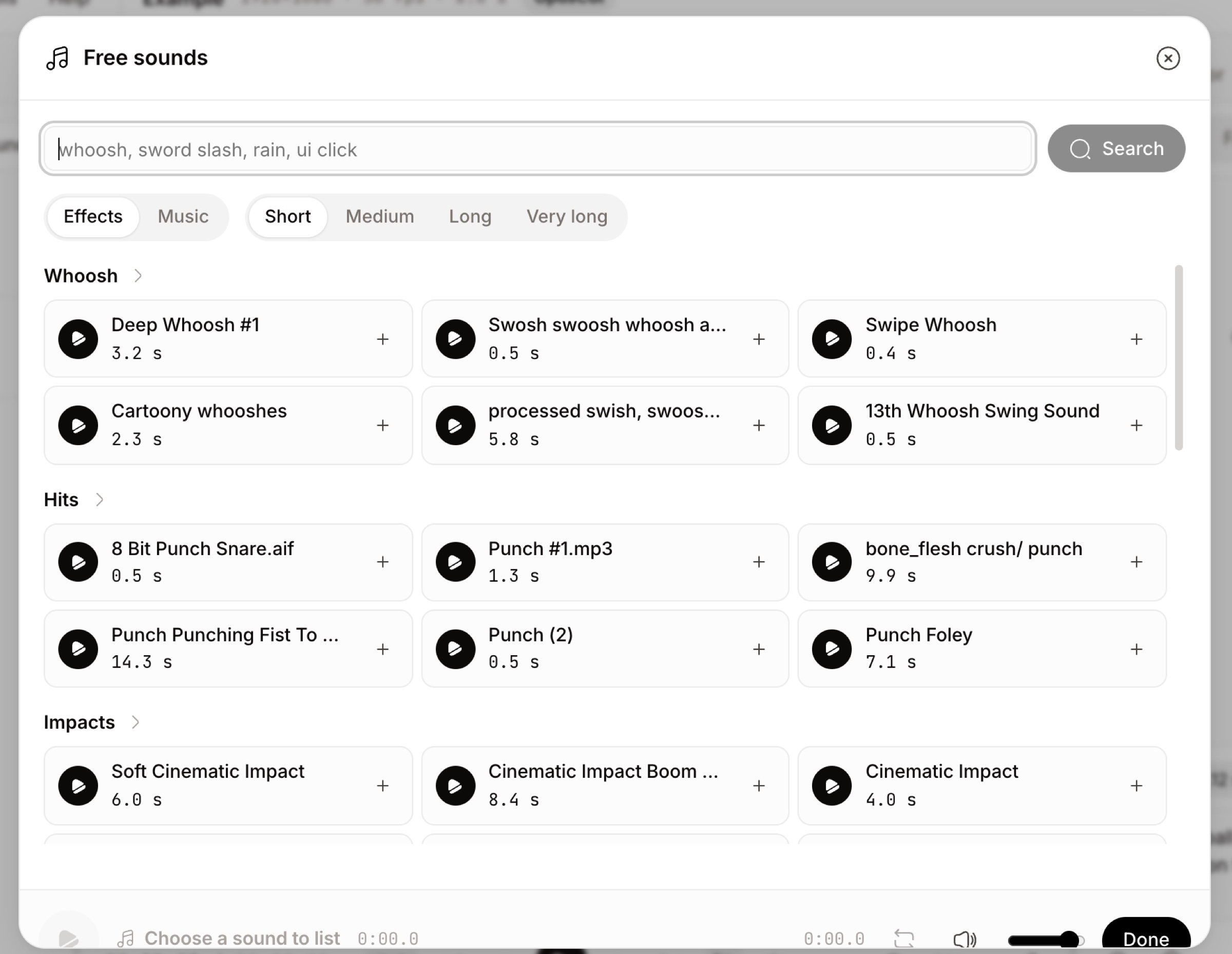
Sound comes from a sound.py instrumented per track, with mute, solo and gain. Free effects and music from Openverse (CC0, CC BY) are searched and added with their credits.

Free sounds window with whoosh, hits and impacts categories
[06] / Export

Out to every platform

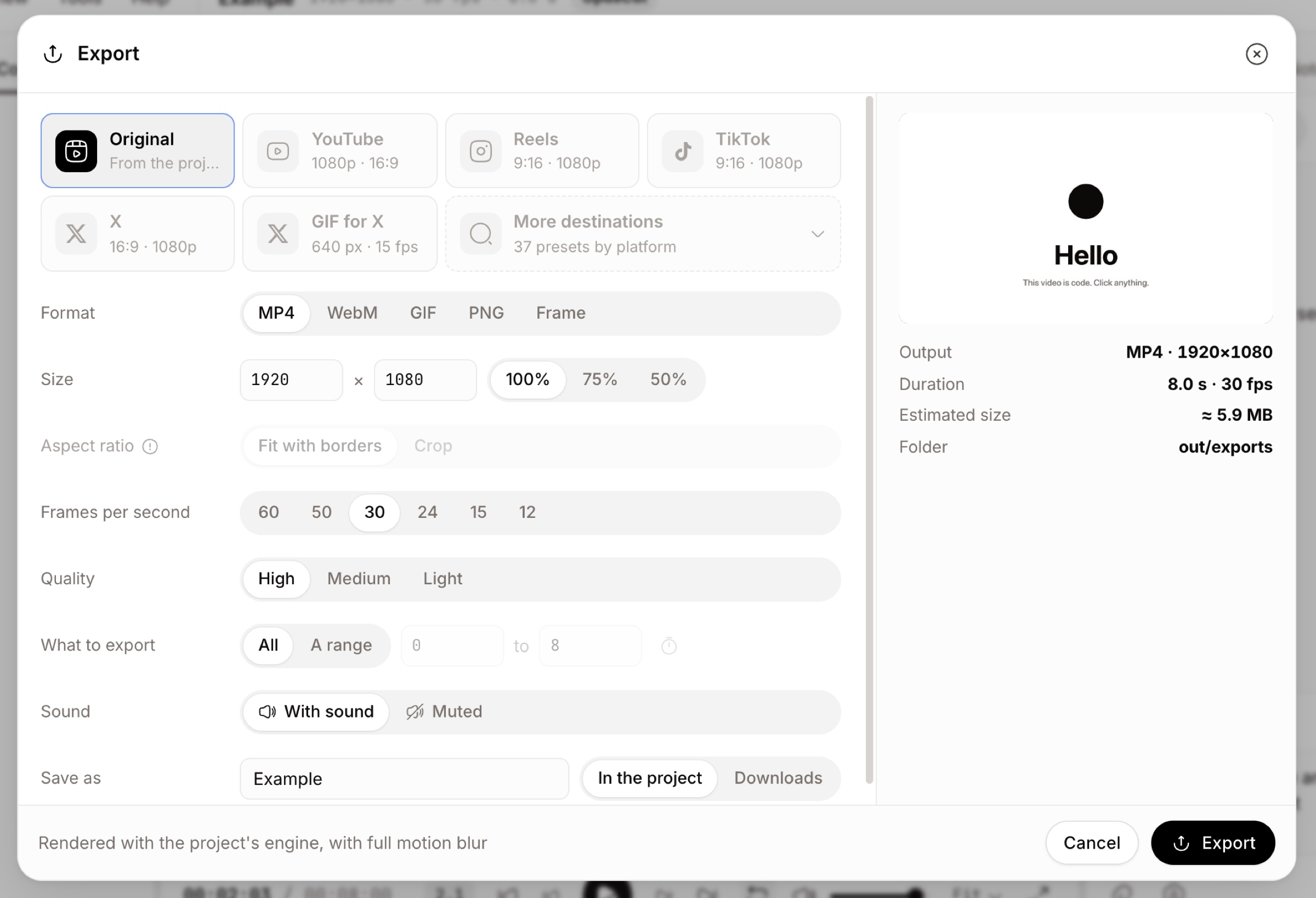
Rendered with the project's own engine and full motion blur. Presets for YouTube, Reels, TikTok, X and 37 more destinations, or a custom size, fps, range and quality.

Export window with platform presets, format, size, frames per second and quality options
51
MCP tools for agents
60
Real fps on export
0
Servers in the cloud
[04]/ Engineering

[01]

Instrumented rendering

Draw calls are recorded per frame with their call stack, so any pixel maps back to a function, file, line and the literals that control it. Edits are written to those exact positions.

[02]

One state, two users

The editor shares its live state over WebSocket. The MCP server reads and changes that same state, so the agent's get_frame is literally what the person is looking at.

[03]

MCP first

Every action in the interface is also an MCP tool: status, get_frame, inspect_point, edit_literal, set_text_style, export and more. Works with Claude Code, Codex, Cursor and any MCP client.

[04]

Local by design

Node server on the person's machine, Python for audio and frame rendering, esbuild for the MCP bundle. Projects stay in their folder and nothing leaves it.

React 19✳Vite✳Node.js✳WebSocket✳MCP SDK✳Zod✳Python✳Canvas / three.js✳Claude✳